Addynamo

Showing posts with label Pc Tips and Tricks. Show all posts

Windows 8 skin pack free download


Change the look of your windows 7 to windows 8. Just download the windows 8 skin pack and install it.

Don't forget to like, share & drop a comment

Delete undeletable files using unlocker

If you've ever been unable to delete a file in Windows, and can't figure out what program's using it, Unlocker is the best solution. Have you ever seen these Windows error messages?

  • Cannot delete folder: It is being used by another person or program
  • Cannot delete file: Access is denied
  • There has been a sharing violation.
  • The source or destination file may be in use.
  • The file is in use by another program or user.
  • Make sure the disk is not full or write-protected and that the file is not currently in use.
For these kind of cases, unlocker can help:
  • Download unlocker program from here and install it.
  • Now just right click on the undeletable file and then click on Unlocker.
  • Select the Delete action and then click on OK
Done! 
Don't forget to like, share & drop a comment


How to access "must sign up to view/ download" sites without signing up


You might have seen that in most of the websites you require registration/ sign up to download or to watch something. But there are 2 ways to access them without sign up or registration, and in this post  i will show you the best two ways:-
Process 1: Bug Me Not.
  • Bug Me Not is a website where you will get the login details such as; usernames and passwords of almost any websites.
  • Just go to bugmenot.com, type the name of the website and then click on Get logins.
  
  • That's it!
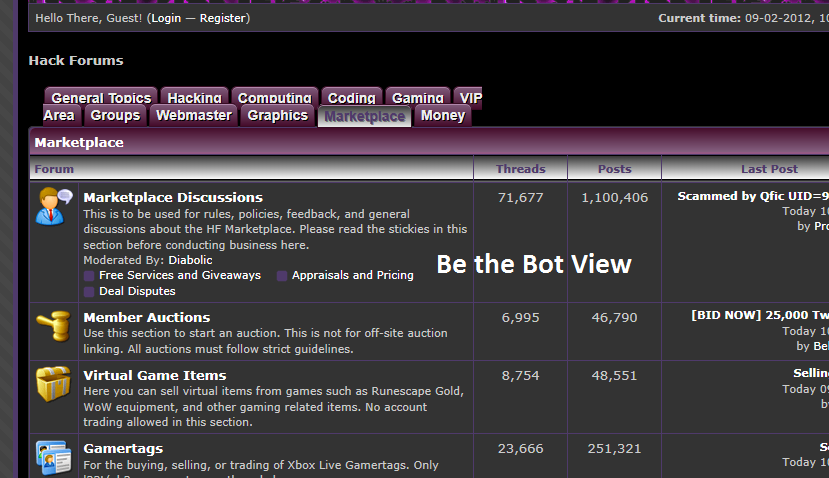
Process 2: Be The Bot.
  • Be the Bot will let you see the actual view of the website without sign up.
  • You just need to write the name of the website and then click on Go.
 
  • Done!

 Don't forget to like, share & drop a comment


What is a Trojan Horse?


The Trojan Horse:-
"A Trojan Horse, or Trojan, is a term used to describe malware that appears to the user to perform a desirable function but, in fact, facilitates unauthorized access to the user's computer system". - Wikipedia

"A Trojan horse is an apparently useful program containing hidden functions that can exploit the privileges of the user [running the program], with a resulting security threat.". - CERT Advisory

Types of Trojan :-
The different types of Trojan Horses are as follows-
  • Remote Access Trojans :- Abbreviated as RATs, a Remote Access Trojans are potentially the most damaging, designed to provide the attacker with complete control of the victim's system.
  • Data Sending Trojans :- A type of a Trojan horse that is designed to provide the attacker with sensitive data such as passwords, credit card information, log files, e-mail address or IM contact lists. They could install a keylogger and send all recorded keystrokes back to the attacker.
  •  Destructive Trojans :- Once this Trojan is installed on your computer, it will begin to systematically or completely randomly delete information from your computer. This can include files, folders, registry entries, and important system files, which likely to cause the failure of your operating system.
  • Proxy Trojans :- A type of Trojan horse designed to use the victim's computer as a proxy server. This gives the attacker the opportunity to conduct illegal activities, or even to use your system to launch malicious attacks against other networks.
  • FTP Trojans :- A type of Trojan horse designed to open port 21 (FTP) and acts like an FTP server. Once installed, the attacker not only could download/upload files or programs to victim's computer but also install further malware on your computer.
  • Security Software Disabler Trojan :- A type of Trojan horse designed stop or kill security programs such as an antivirus program or firewall without the user knowing. This Trojan type is normally combined with another type of Trojan as a payload. Beware of this one.
  • DoS Attack Trojans :- These Trojans are used by the attacker to launch a DoS/DDoS attack against some website or network or any individual. In this case they are well known as "Zombies".

How Trojan Works ?
Trojans typically consist of two parts, a client part and a server part. When a victim (unknowingly) runs a Trojan server on his machine, the attacker then uses the client part of that Trojan to connect to the server module and start using the Trojan. The protocol usually used for communications is TCP, but some Trojans' functions use other protocols, such as UDP as well. When a Trojan server runs on a victim’s computer, it usually tries to hide somewhere on the computer; it then starts listening for incoming connections from the attacker on one or more ports, and attempts to modify the registry and/or use some other auto-starting method.

       It is necessary for the attacker to know the victim’s IP address to connect to his/her machine. Many Trojans include the ability to mail the victim’s IP and/or message the attacker via ICQ or IRC. This system is used when the victim has a dynamic IP, that is; every time he connects to the Internet, he is assigned a different IP (most dial-up users have this). ADSL users have static IPs, meaning that in this case, the infected IP is always known to the attacker; this makes it considerably easier for an attacker to connect to your machine.

       Most Trojans use an auto-starting method that allows them to restart and grant an attacker access to your machine even when you shut down your computer.

How Trojan Horses Are Installed ?
Infection from Trojans is alarmingly simple. Following are very common ways to become infected that most computer users perform on a very regular basis.
  • Software Downloads
  • Websites containing executable content (ActiveX control)
  • Email Attachments
  • Application Exploits (Flaws in a web applications)
  • Social Engineering Attacks

The Removal :-
Antivirus software is designed to detect and delete Trojan horses ideally preventing them from ever being installed so my advise to you is for you to have an up to date antivirus installed on your pc.

Don't forget to like, share & drop a comment

How to increase Firefox browsing speed


There is a little trick to increase the browsing speed and load time of Firefox browser. You will see a little bit of difference after using this trick but not a huge difference. If you came here searching for some trick to increase your internet connection's speed from 100kbps to 500kbps, then your are just dreaming.

Follow the steps:-
  • Open your Firefox browser and then in the address bar, type about:config and press Enter key. "You will get a warning, don't worry just click on I'll be careful, I promise"
  • Now in the search bar, type network.http.max-connections-per-server and then change the value from 15 to 32
 Now search the below Preference name also and change the value as given.
  • network.http.max-persistent-connections-per-proxy =16
  • network.http.max-connections = 64
  • network.http.max-persistent-connections-per-server = 10
  • network.http.pipelining = true
  • network.http.pipelining.maxrequests = 200
  • network.http.request.max-start-delay = 0
  • network.http.proxy.pipelining = true
  • network.http.proxy.version = 1.0
Now finally, right-click anywhere and select New- Integer. Name it  nglayout.initialpaint.delay and set the value to 0.
  • That's it! Enjoy. 
Don't forget to like, share & drop a comment

Submit your site/blog to all search engines with just few clicks


Yes! There is an easiest way to submit your site or blog to all search engines with just few clicks and this can be done by visiting a website called Submitstart. They also share your site to their Facebook page and Twitter account automatically after submission.
  • Just visit the website SubmitStart.
  • Write your Blog/website URL in the Site to submit.. box, then write your Email address and then click on Submit.
  • Now they will send you a verification Email on the given email address. So just verify it by clicking on the given link.
  • Clicking the link will redirect you to a new page where you will see that your submission in done. (You might have to submit your site to bing manually, this takes hardly a minute)
  • That's it! 
Don't forget to like, share & drop a comment

Wanna play Pacman on Google?


Are you feeling bored? Lets play Pacman on Google.

  • Go to Google.com
  • Type Google Pacman and click on I'm feeling lucky.
  • Start playing! 
Don't forget to like, share & drop a comment

Change the color of your Facebook profile automatically

 
Everyday you see the same blue color of Facebook, let me show u something new. I have a trick which will change the color of your Facebook profile automatically into different colors. This trick will only work on Firefox browser cause it is a Greasemonkey trick.
  • First of all install Greasemonkey Add-on on your Firefox browser. Click here to go to the Greasemonkey installation page.
  •  
  • After installing Greasemonkey Add-on on your Firefox browser, restart Firefox and install the Facebook Auto Colorizer Greasemonkey script. Click here to install.
  •  
  • All done! Now restart Firefox, log in to your Facebook account and see the change.
 Don't forget to like, share & drop a comment

Check if your Antivirus is working or not using Notepad


If you want to check your Antivirus software, you don't need to download virus or any spyware software to test it. You can test your Antivirus using a NOTEPAD and i will show you how to do it in here.
  • Open a New Text Document.
  • Copy the below code and paste it in the new text document.
X5O!P%@AP[4PZX54(P^)7CC)7}$EICAR-STANDARD-ANTIVIRUS-TEST-FILE!$H+H*
  • Save it as anything.exe .
Note: The file that you have created is not going to harm your computer. It was first created by the European Institute for Computer Anti-Virus Research (EICAR) to provide a safe and easy way to test whether or not you’ve got a working antivirus software installed.
If your Antivirus deletes the file immediately, then your Antivirus program is working perfectly and if your Antivirus does nothing, then you should change your Antivirus. 

Don't forget to like, share & drop a comment

How to transfer files to your windows mobile phone


Zune.net

Today's post is centered around transferring music & videos from your pc to your windows phone. If you try to go through the conventional method of copying & pasting music to a folder on your windows mobile device it won't work. To send files to your windows phone you need a software called Zune.

In a nut shell Zune is to windows mobile what iTunes is to iPhone.

CLICK HERE to go to Zune's website, click on the get the software link & download & install Zune on your pc after which you can upgrade your phone's o.s & transfer files easily.


HOW TO STOP YAHOO! MAIL FROM SENDING SPAM MESSAGES TO YOUR CONTACTS

Recently, i’ve been receiving messages from people asking me to write a post on “How to stop my Yahoo! Mail account from sending spam Message to all my Contacts”, So i decided to write on it today and i hope it helps.


Firstly, i'm pretty sure you will want to know how your Yahoo! Mail started sending spam messages to all your contacts, Right?

Now what causes this to happen is probably a Virus, Trojan or Malware that you have invited (unknowingly of course) by clicking on a particular link or downloading a file from the internet it was attached to and was given permission to run. It lurks in the background until you log online, then it turns your computer into a “Spam Engine” and starts sending rubbish to everyone in your contact list.

Let’s cut the long story and get to how you can stop it and prevent future occurrences.

FOLLOW THE STEPS BELOW TO GET THE ISSUE RESOLVED

1. Firstly, clear all your history, cookies, saved passwords, active logins, cache, offline data & search history. On Mozilla Firefox simply press CTRL+SHIFT+DEL, ensure all the boxes are check before hitting the “Clear Now” button or on Google Chrome, Click on the Tools icon at the Top Right hand corner of the Browser, Then click on Option > Under the Hood > Clear Browsing Data > Choose "Beginning of time" from the Drop down and also Tick all the Boxes below it, Then hit the Clear Browsing Data button .
2. Goto www.cnet.com and search for “Malwarebyte Anti-Anti Malware” or Download it Here (Its free of charge). Once downloaded, run and update it.
3. Now Run your Malwarebyte program and perform a “Full Scan
4. After the scan, Log into your Yahoo! Mail, Click on "Account Settings" > "Passwords" then change your password (Choose a STRONG password different from the first one). If you have multiple Yahoo accounts, its advisable to use different passwords for each of them.
5. Now, Its adviceable (Optional) to send a message to all your contacts saying, “I’m sorry if you’ve been receiving unwanted messages from my email. My account was compromised but I’ve resolved it now. Thanks”
6. After this, Sign out from your Yahoo Account, clear your recent data once again, run a full scan again then restart your PC.
7. After these steps, I’m pretty sure the Virus/Malware would have been totally removed from your system. It worked for me so i'm sure it will work for you too.

Don't forget to hit the SHARE button if this Tutorial helps.

HOW TO GET PREMIUM SOFTWARE FOR FREE ON A DAILY BASIS

This is actually a Tutorial exposing some stuff, Have you ever wonder how some Webmasters and Internet Geeks get their Premium Software without Paying? This has been Troubling my Mind for some time.

Say No To Trial version of any Software, you need the Full Version.


Today, i have decided to share it with all Wonderful Infobizz9ja Page viewers incluing my Google +1 u know your self :)  Some might  know this Stuff while some might still be in the Dark.

Have you heard about Giveawayoftheday.com? I Guess no, This is My No 1 website for Free Software, This Site gives out 1 Premium Software everyday, No need to Panic over any Software on your PC from getting expired.

Giveawayoftheday is a widely used Site by Most Nigerians though it is an International website but it uses are wide due to their Niche and for their Free Gift.

So if you're the type that make use of Good Software on your PC, Hit the Website on a daily basis to get the best out of your PC.

 Don't Forget To Share & Drop a comment

HOW TO ADD NEW FONTS TO YOUR COMPUTER EASILY


The Simple Question is, Why do i need to Install Extra Fonts? Well, If you love cool and good looking fonts on your System like me, You will need to and might even end up installing newer fonts on a daily basis because the step is just too simple.

HOW DO I INSTALL NEW FONT ON MY PC
1. Visit one of the World most visited PC Font website www.1001freefonts.com and click on any Font Category e.g 3D, Animal, Comic, Christmas etc depending on the Category that suit you the most.
2. Now the Name and Preview Image of how the Font looks will appear on the Category Page, Just click on the "Download window" button to download the Zip format of the Font.
3. Unzip the download file and Copy out the File you just Extracted usually ending with TTF or FON, Then go to your Control Panel » Font, You will see many Font file inside, Just Paste the Font you copied inside and close it.
You have Successfully Installed a New font. check the Website above for More Cool Font for your PC.
Now the Font is gonna appear on any Software List of Font Available e.g Image Editing Software, You can now use your Downloaded Fonts to Create New and Professional looking Graphics.

Click on the LIKE Button if you find this Tutorial helpful & Don't forget to share.

5 REASONS TABLETS WILL NEVER REPLACE PCs

1. Tablets do not have the power of a PC. Whether it is a classic desktop PC or a sleek netbook, PCs simply have more power under the hood compared to tablets. Try running a graphics- intensive program like Adobe Photoshop on a tablet, you will pull all of your hair out waiting for your projects to load. A tricked-out PC will never be as lightweight as a tablet, but tablets are only good for lightweight computing tasks.

2. Tablets do not have the storage capacity of a PC. Until cloud computing is fully established, most tablets are only as useful as a paperweight. A tablet with a mere 16 gigabytes of storage capacity, like a brand-new iPad will cost about $500 for a basic, wi-fi only model. For the same price, you can buy an HP laptop with over 50 times the storage capacity of the aforementioned tablet. With HP coupons, that laptop can be yours for even cheaper than an iPad.

3. Tablets are not as good as PCs when it comes to tactile response. Typing anything on a tablet is hard work. With a PC, one has the tactile response of a physical keyboard and mouse. On a tablet, the typing experience is much different. One simply can not type as fast when using a tablet, the technology just is not there yet. Plus, how can one type from touch without feeling the keys? Also, typing on a touchscreen tablet forces one to stare at the keyboard while typing, which wastes time.

4. PCs are better for gaming. Sure, most tablet computers these days come pre- loaded with “app store” software that allows you to buy games to play. How many of those games are of real quality? Sure, Angry Birds can be a great time-killer, but try playing a game like StarCraft 2 or Call of Duty: Modern Warfare 3 on a tablet. It simply will not work, because only a PC can deliver a true video gaming experience.

5. Tablets are no good for multi-tasking. Can you play music on your tablet while surfing the web, checking your e-mail, and Skyping with your BFF all at the same time? Didn’t think so. As far as multi-tasking goes, PCs are supreme. A PC can also be hooked up to multiple monitors to greatly increase productivity. Tablets only have one display and it is nowhere near the size of a PC display. Will you ever replace your PC with a tablet?

Share your views people!

HOW TO REMOVE THE RECYCLER VIRUS THAT TURN FILES TO SHORTCUT ON YOUR STORAGE DEVICE


Today, i have decided to release this Tutorial on how to Tackle Recycler on your Storage device (You might not know how important this Article is until you're in a Recycler Mess).
Whenever you Notice that all the Files on your Storage Device (External Hard-disk, Flash Drive or Memory Card) changed into a Shortcut and you try to Open it but its not Opening, Just bear in Mind that you have been Infected by the Recycler Malware..

HOW TO SOLVE THE RECYCLER MALWARE ON YOUR STORAGE DEVICE
1. Plug the Affected Device (Hard Disk, Flash Drive or Memory Card) through the USB Port, Now Open your My Computer and note down the Alphabet of the Device you plugged. e.g Some Device might Display G, D, E etc just note it down.
2. Now Click on the "Start" Menu --> Type Run in the Box, Then click on it--> Type cmd and click on OK
2. Enter this command.
attrib -h -r -s /s /d g:*.*   Or  attrib -h -r -s /s /d X:*.*

=> You can copy the above command --> Right-click in the Command Prompt and paste it there. (The G in the Command is an Example if your Drive is displaying G, You can see we used X in the Other Command, It depends on yours).
3. Now check the files in the Storage drive after the process is finished successfully. You now have your Clean Files back.
TO AVOID FUTURE OCCURENCE, DO THIS
1. Now, For Security Reason, We Advice you to Download Malwarebytes Anti-Malware Software on your PC HERE (10MB)
2. After Downloading & Successful Installation it, Update it --> Perform "Full Scan" (The Default Scan Option is Quick Scan, Change to Full Scan).

Click on the LIKE Button  & drop a comment if you find this Tutorial helpful.

YAHOO! EMAIL LOGIN PROBLEM ON OPERA MINI RESOLVED

 A friend contacted me today that for some time he has been Unable to check his Mail on his Phone via Opera Mini, I actually tried it out on my phone via Opera and this was the Response "We’re sorry that you are having difficulty logging in. Please sign in from our desktop login screen and then try login again from our mobile login screen" Just like this in the Image below, I believe you should have experience this also.

Well, less talk more work. Follow the Step below to quickly fix the Yahoo! Issues and continue checking email on your Phone without any Issues,
1. Visit http://login.yahoo.com/config/login
2. You should be presented with the full/PC version login page.
3. Input your username and password, hit the login button and fill the captcha.
4. You should now be logged in now. You may be shown the account information page but you can choose to go to the homepage and then access your mail box from there. Simple!!!

If this Post helps, Don't hesitate to click on the LIKE / Share Button and also post your Comment.

How does Gmail Free storage keep on Increasing?

If you are a Gmail user, You must have frequently noticed that Gmail offers a lot of space and it’s free space keep on increasing. It always tells something like Over 10250.***** megabytes (and counting) and the number shows on increasing. Most of you may had thought about it and worried how on earth it could be possible … just as I did !


When I saw it for the 1st time I didn’t actually care it and thought it’s just a trick to get more people and nothing else. But when I observed I found that the numbers are real and it keeps on increasing the storage by 4 bytes every second. I knew that they are not Real hard drives and just Virtual or cloud hard drive, But even then increasing the storage every second …. It should be really costly, right ??

Why We say that they are Virtual or Dynamic Hard drives ?

We will tell that with an example.
If they gives 1 GB space to everyone and say have around 350 million active users globally, They need to have 350 million GB storage which they don’t !!
So It clearly shows that they have dynamic memory allocation which divides special variable space for each account and adds up space as they needs it.

How Does Gmail Free Storage Keep on increasing ?

They use a java script for this, which automatically ads 4bytes every second. Don’t think this is a big deal…. You know that 1024 bytes become a Kilobyte and 1024 Kilobytes becomes 1MB, Again 1024 MB becomes 1 GB and so on…. So if 4bytes are added a second , Then
In a hour  -> 4 x 60 x 60         =14400 bytes
In a day   -> 14400 x 24          = 345600 bytes
In a month -> 345600 x 30   =  10368000 bytes     = 10368 KB   = 10.3 MB per month
In a year    -> 10.3 x 12 MB    = 123.6 MB
i.e, Each year only 123.6 MB is added additionally. So Is it a big deal ? Not at all. There are several other Email service providers providing space more than this. There will be only little expense for this increase in disk size whereas Google makes a lot of revenue and it is not ever a small deposit when compared with the revenue.


 Why does Google makes their Free storage increase in every second ?

It’s one of the greatest attraction of Gmail, which you can’t deny ! It may not be a huge increase but after all when you see an increase in the file size every second and it keeps on increasing, It will surely create an impression in your mind. You know that if you have seen any of that old Gmail ads …. Or even if you see Gmail homepage !
But anyway I should congratulate Google for making such a great trick and forcing the users believe that they are getting infinite storage space and increasing the storage space every second !!!

Share your views ….

HOW TO CREATE A DESKTOP SHORTCUT TO SAFELY REMOVE ALL USB REMOVEABLE DEVICE

Most time when we Insert any Removable Device through the USB Port of our PC, it is advice able to Remove it using the System Tools or Option on the Task bar before Removing it from the USB Port, Most people don't see this Step as something important or they Forget to do so, that's why most USB Device get Corrupted.

You can create shortcut to safely remove hardware device on you Desktop which is more visible and can be easily used to remove the hardware devices plugged to your PC.
HOW TO CREATE A DESKTOP SHORTCUT TO SAFELY REMOVE PLUGGED IN HARDWARES
1. Right click on your Desktop and Click on New.
2. Now click on Shortcut option from the list.
3. In the browse location just Paste in the below code and click on Next button.


4. Now it will ask you to Name the shortcut. Name it something like Safety Remove USB and then click on the Finish button
5. There should be a shortcut icon on your Desktop just double click on it and your external media will be Removed Safely.

Tips:- This Tutorial works well on Window XP, Vista and other Version of Windows OS!

181 Google Tricks That Will Save You Time in School [Updated]

A friend of mine just sent me a link and requested i share it with you my lovely page viewers, Shout out to http://www.onlinecolleges.net Here's the link, read and enjoy http://www.onlinecolleges.net/2012/06/25/181-google-tricks-that-will-save-you-time-in-school-updated/

Thumbnails On Firefox’s New Tab Page Could Expose Your Private Data, Fix Coming Soon

firefox-beta-13-new-tab
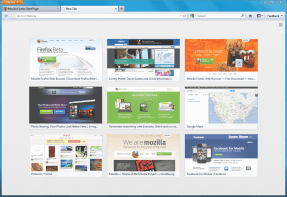
Mozilla’s Firefox 13 launched earlier this month and the latest version of the popular browser introduced a number of new features, including support for Google’s SPDY protocol and a new homescreen and easy access to your most often used sites through the improved new tab page. That convenient new speed dial-like new tab page presents a bit of a security risk, however. As the Register reports, the thumbnails that accompany these links on the improved new tab page have the potential to leak personal information. The browser, it turns out, regularly takes screenshots of your browsing sessions to create these thumbnails (even while you are browsing a secure site) and, in the process, could potentially expose your private data like banking information or email subjects to anybody else who uses your computer.
 Mozilla acknowledged this issue and said that “Mozilla remains resolute in its commitment to privacy and user control. The new tab thumbnail feature within Firefox does not transmit nor store personal information outside the user’s direct control.” Mozilla promises that it will fix this issue in a “future release.”
Overall, the risk of somebody stealing your identity because of this seems pretty small, but the browser probably shouldn’t capture screenshots from pages that sit behind login pages and from secure sites. Just to be on the safe side – and especially if you are on a shared computer – it’s probably be best to turn this feature off for the time being. On a shared computer, of course, you can also use Firefox’s Private Browsing Mode (which you should probably do anyway if you are using a public machine).
Google’s Chrome and Opera have been using similar new tab pages to make accessing often used pages faster for quite a while now. There has been some limited discussion of the privacy implications of this feature in Chrome, but these two browsers use smaller and hence harder to read thumbnails than Firefox. Maybe that’s why we never heard much about these thumbnails as a security issue so far. Firefox, however, uses relatively large thumbnails to begin with and they also scale with the size of the browser window.